150+ Funny Hotspot Names — Best Mobile Hotspot & iPhone SSID Ideas (2026)
Here's the thing about hotspot names that most people miss: a hotspot is fundamentally different from a home WiFi name.
When you broadcast a hotspot, everyone around you — at the airport, in the coffee shop, on the train — can see it. That is a different audience with different expectations. And that means the best hotspot names hit differently too.
In this post, I'm going to show you 150+ funny hotspot names organized by situation — because the perfect name for your iPhone hotspot at a student library is very different from the one you want broadcasting at a family road trip rest stop.
Let's dive right in.
What's inside:

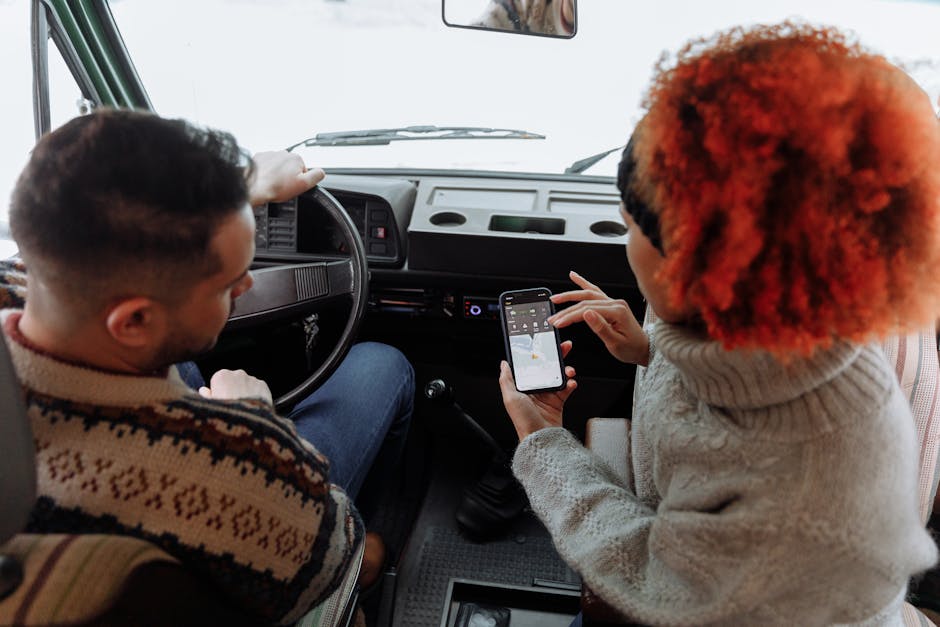
Photo by Thirdman on Pexels.
Funny iPhone Hotspot Names
Apple names its personal hotspots "[Your Name]'s iPhone" by default. You can do so much better.
| 1 | Not an iPhone — Definitely Not |
| 2 | Steve's Ghost Network |
| 3 | iWifi Therefore iAm |
| 4 | Apple Tax Hotspot |
| 5 | No Headphone Jack No Problem |
| 6 | Courage — And a Hotspot |
| 7 | One More Thing — Free Hotspot |
| 8 | iPhone 47 Pro Max Ultra |
| 9 | This Would Have Been a Port |
| 10 | Team Lightning Not USB-C |
| 11 | Face ID Unlocked the WiFi |
| 12 | iOS Updated — Finally |
| 13 | Dynamic Island Network |
| 14 | AirDrop This Password |
| 15 | iCloud Not Included |
Funny Android & Samsung Hotspot Names
Android users — this is your moment. You have the better hotspot customization anyway.
| 16 | Not an iPhone and Proud |
| 17 | Samsung but Make It Fashion |
| 18 | Galaxy Far Far Away Network |
| 19 | Fold in Half — Still Works |
| 20 | Open Source Open Hotspot |
| 21 | Custom ROM No Warranty |
| 22 | Root Access Required |
| 23 | sudo hotspot enable |
| 24 | Android 15 Already Updated |
| 25 | Pixel Perfect Hotspot |
| 26 | Google Knows What You Did |
| 27 | Bloatware Removed Network |
| 28 | USB-C Gang Network |
| 29 | Headphone Jack Still Here |
| 30 | Back Button Survivor |
Road Trip Hotspot Names
For the car, the van, the "are we there yet" moments, and the service station pit stops.
| 31 | Are We There Yet Network |
| 32 | Going Nowhere Fast WiFi |
| 33 | Middle of Nowhere Hotspot |
| 34 | Gas Station Gourmet WiFi |
| 35 | Rest Stop Rebellion Network |
| 36 | Lost Without Google Maps |
| 37 | No Signal on the Radio Either |
| 38 | Backseat Driver Network |
| 39 | Turn It Off and Turn It On Network |
| 40 | Service Area 47 Hotspot |
| 41 | Van Life — No Fixed Address |
| 42 | The Roof Rack Network |
| 43 | Camping Glamping Hotspot |
| 44 | Bear Grylls Drank My Signal |
| 45 | No Bars No Peace Network |
Student Hotspot Names
For libraries, lecture halls, study sessions, and the very real moment your campus WiFi blocks Netflix.
| 46 | Thesis Not Found |
| 47 | Financial Aid Spent on Data |
| 48 | Please Don't Stream Netflix |
| 49 | Tuition and Data Plans |
| 50 | Exam Season Survivor |
| 51 | Library Hotspot — Shh |
| 52 | All Nighter Network |
| 53 | Coffee and Deadlines WiFi |
| 54 | Procrastination Station Network |
| 55 | First Year Panic Hotspot |
| 56 | Student Debt Internet Access |
| 57 | Drop Out or Double Down |
| 58 | Campus VPN Blocked This |
| 59 | Group Project One Person Did It |
| 60 | Graduating Eventually Network |
Work From Home Hotspot Names
For when your ISP lets you down and your phone becomes the office.
| 61 | Zoom Call Survivor |
| 62 | My ISP Failed Again |
| 63 | Hotspotting in Pajamas |
| 64 | Billable Hours Only |
| 65 | Not Your Office's Problem |
| 66 | VPN Required Network |
| 67 | Slack or Get Off My Hotspot |
| 68 | Out of Office — On Hotspot |
| 69 | Remote Work Day 847 |
| 70 | Flexible Working — Means This |
| 71 | Teams Meeting Background Network |
| 72 | Muted Again Network |
| 73 | Can You Hear Me Now |
| 74 | I Turned the Camera Off |
| 75 | Back to Back Meetings Network |
Airport & Travel Hotspot Names
Nothing brings out creative naming like a 3-hour delay and $8 airport WiFi.
| 76 | Delayed Again Network |
| 77 | Gate B47 Survivors |
| 78 | TSA Took My Snacks |
| 79 | Middle Seat Hotspot |
| 80 | Economy Class Network |
| 81 | Bag Fees Were Worth It |
| 82 | Connecting Flight — Like This Hotspot |
| 83 | Hotel WiFi Was Worse |
| 84 | Jet Lag Network |
| 85 | Timezone Unknown |
| 86 | Lost Luggage Hotspot |
| 87 | Passport Control Survivor |
| 88 | Business Class Envy Network |
| 89 | Lounge Access Denied |
| 90 | Flight Mode Off — Barely |
Confusing Hotspot Names (These Go Viral)
The secret weapon. These names are designed to make every nearby person glance up from their phone and look around. Use wisely.
| 91 | Not a Hotspot |
| 92 | Definitely Not a Hotspot |
| 93 | Please Do Not Connect |
| 94 | This Network Does Not Exist |
| 95 | FBI Surveillance Van — Mobile |
| 96 | CIA Monitoring Unit 7 |
| 97 | Neighbors This Is Your Router |
| 98 | Free Hotspot — Totally Safe |
| 99 | Virus.exe Hotspot |
| 100 | NSA Data Collection Point |
| 101 | Click Here for Free Money |
| 102 | This Is Not the Hotspot You Are Looking For |
| 103 | Password Is Password — It Is Not |
| 104 | Please Yell "Free Hotspot" to Connect |
| 105 | Loading… Please Stand By |
More Funny Hotspot Names (106–150)
| 106 | Coffee Shop Squatter Network |
| 107 | Buy a Coffee First Hotspot |
| 108 | 5G and Oat Milk |
| 109 | Working From Starbucks Again |
| 110 | Single Shot Double Speed |
| 111 | Flat White Flat Signal |
| 112 | Camping Night One Signal |
| 113 | Forest Frequency |
| 114 | Glamping Grid |
| 115 | No Wifi In Nature — Except This |
| 116 | Park Ranger Network |
| 117 | One Bar to Rule Them All |
| 118 | Data Roaming Regret |
| 119 | International Plan Hotspot |
| 120 | Local SIM Card Tourist |
| 121 | Festival WiFi — No Showers Either |
| 122 | Tent City Network |
| 123 | Mud and Megabytes |
| 124 | Train WiFi Was Terrible |
| 125 | Commuter Network |
| 126 | Bus Stop Bandwidth |
| 127 | Underground — No Signal Here Either |
| 128 | Platform 9 and Three Quarter Bars |
| 129 | Hotspot on a Hot Day |
| 130 | Beach Hotspot Sand in the Port |
| 131 | Hotel WiFi Was Not It |
| 132 | Airbnb Network Better |
| 133 | Family Reunion Escape Network |
| 134 | Kids Stop Watching YouTube |
| 135 | Parental Data Plan Network |
| 136 | One Device at a Time Please |
| 137 | Sharing Is Caring — For Now |
| 138 | My Data My Rules |
| 139 | Pay Per Gigabyte Network |
| 140 | Running Out of Data Network |
| 141 | Last 2GB Stand |
| 142 | Throttled but Trying |
| 143 | Fair Use Policy Ignored |
| 144 | Carrier Throttle Survivor |
| 145 | Unlimited — Technically |
| 146 | Deprioritized Network |
| 147 | 5G Tower Nearby Apparently |
| 148 | Three Bars is Enough |
| 149 | Signal Here Somewhere |
| 150 | Good Enough Hotspot |
FAQ: Funny Hotspot Names
How do I change my iPhone hotspot name?
Your iPhone hotspot name is the same as your device name. To change it: go to Settings > General > About > Name. Tap the name, type your new hotspot name, and tap Done. The change takes effect immediately — anyone scanning for hotspots will see the new name. You can make it as creative as you want, up to the character limit of your device name field.
How do I change my Android hotspot name?
On most Android phones: go to Settings > Network & Internet > Hotspot & Tethering > WiFi Hotspot. Tap the hotspot name field and type your new name. On Samsung devices, the path is Settings > Connections > Mobile Hotspot and Tethering > Mobile Hotspot > Configure. Tap Network name and change it there.
What is the character limit for a hotspot name?
A WiFi hotspot name (SSID) can be up to 32 characters long — same as any WiFi network name. On iPhones, the limit is set by the device name field which allows slightly more, but the broadcasted SSID will be capped at 32 characters. Keep your funniest names within that limit.
Can people see my hotspot name without connecting to it?
Yes — anyone with WiFi scanning on can see your hotspot name just by being in range. This is exactly why the "confusing hotspot names" section above is so entertaining. You do not need to connect — just seeing "FBI Surveillance Van — Mobile" appear in someone's WiFi list is enough to make them look around.
Related posts: 200+ Funny WiFi Names · Best WiFi Router Names · Free WiFi QR Code Generator · WiFi Password Strength Checker